

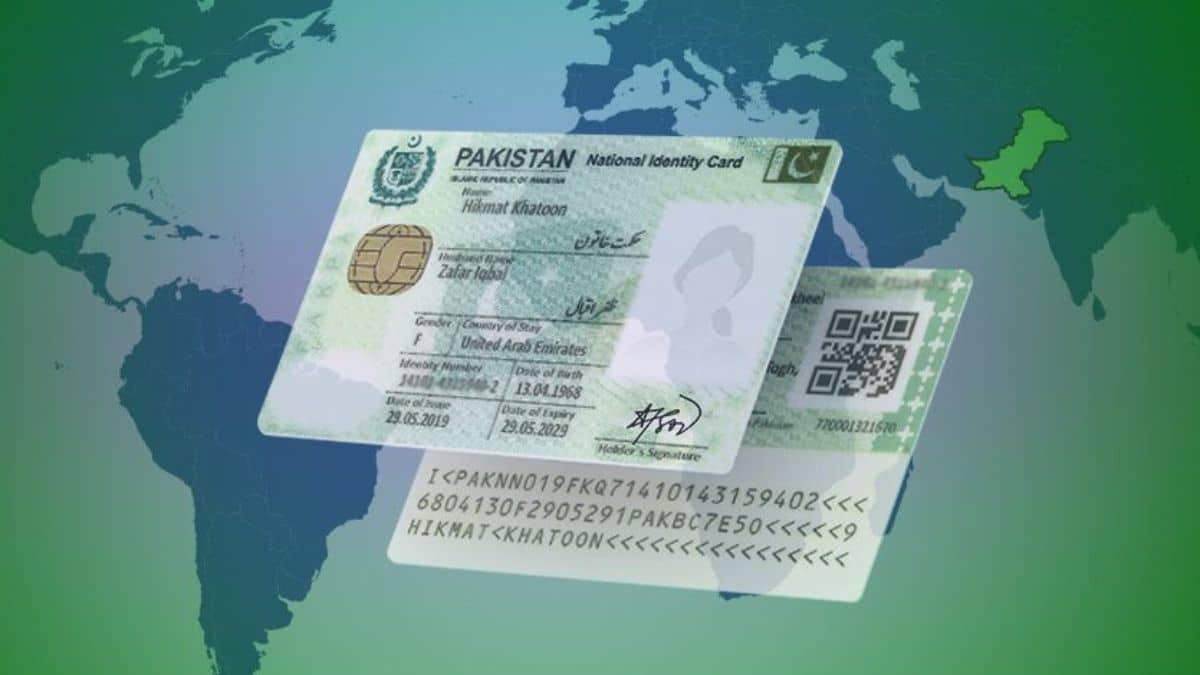
The National Database and Registration Authority (NADRA) has explained how overseas Pakistanis can apply for their first National Identity Card for Overseas Pakistanis (NICOP) through its official Pak ID mobile application.
The authority has outlined the documents, biometric verification requirements, and alternative procedures for Pakistani citizens aged 18 and above applying for a NICOP for the first time.
Applicants can submit their applications online without initially visiting a NADRA Registration Centre. However, some cases may require additional verification or an in-person visit.
NADRA has also clarified the procedure for applicants whose parents or other family members are unavailable for biometric verification.
Who Can Apply for a NICOP?
NICOP is an identity document issued to Pakistani citizens living or working abroad. Eligible dual nationals and Pakistani citizens planning to reside overseas can also apply.
Pakistani citizens born abroad may qualify for NICOP if they meet the relevant citizenship and registration requirements.
First-time applicants aged 18 and above must establish their Pakistani identity and provide the required supporting documents.
Documents Required for First-Time NICOP Application
According to NADRA, applicants must provide the CNIC or NICOP number of a parent or blood relative to establish their family connection.
Applicants born abroad must also provide suitable proof of birth or citizenship. Accepted documents can include a detailed foreign birth certificate, S1 form issued by a Pakistani embassy or consulate, or a citizenship or naturalisation certificate.
The authority also requires documents establishing overseas residence or travel status. Applicants can provide a Pakistani or foreign passport, residence permit, or another accepted travel document.
If the required travel or residence documents are unavailable, applicants can submit Undertaking A, duly attested by a Pakistani embassy or diplomatic mission, where permitted under NADRA’s rules.
The exact documents depend on the applicant’s nationality, place of birth, family record, and individual circumstances.
How to Apply for Your First NICOP Through NADRA’s Pak ID App
Overseas Pakistanis can apply for a fresh NICOP using NADRA’s official Pak ID mobile application, available on Android and iOS devices.
The online application process involves the following steps:
Step 1: Download the Pak ID App
Download the official NADRA Pak ID application from the Google Play Store or Apple App Store.
Applicants should verify that the application is published by NADRA before providing personal information.
Step 2: Create an Account
Open the application and create an account using the required personal and contact information.
Existing users can sign in with their registered credentials.
Step 3: Select New NICOP
After signing in, select the NICOP service and choose the New NICOP application option.
Applicants must select the correct category because the requirements for a fresh NICOP differ from those for renewal or modification.
Step 4: Enter Personal and Family Details
Complete the online form by providing personal information, including name, date of birth, address, nationality, and family details.
Applicants must also provide the CNIC or NICOP number of a parent or blood relative where applicable.
Step 5: Upload the Required Documents
Upload clear copies of the required documents, including birth or citizenship records and relevant passport or residence documents.
Applicants must also provide their photograph and complete the identity verification requirements shown in the application.
Step 6: Complete Biometric Verification
Follow the app’s instructions to complete biometric verification or obtain the required verification from an eligible family member.
If the verification cannot be completed online, NADRA may require additional attestation or a visit to a registration centre.
Step 7: Pay the NICOP Application Fee
Select the preferred processing category and pay the applicable fee using an available payment method.
The fee depends on the applicant’s geographical zone and whether Normal, Urgent, or Executive processing is selected.
Step 8: Submit and Track the Application
Review all information carefully before submitting the application.
After submission, applicants can track their NICOP application status through the Pak ID mobile app. NADRA may request additional documents or verification during processing.
What If Biometric Verification Is Not Possible?
NADRA allows alternative verification in cases where biometric authentication cannot be completed.
Applicants in Pakistan can have their application forms attested by an authorised gazetted officer or public representative under the applicable regulations.
Overseas applicants can obtain verification from an eligible CNIC or NICOP holder through the prescribed procedure.
Applicants should follow the specific attestation instructions provided by NADRA for their application category.
Can Applicants Visit a NADRA Registration Centre?
Yes, first-time NICOP applicants can also submit their applications through a relevant NADRA Registration Centre.
Applicants must provide the required identity, citizenship, and family documents during registration.
NADRA officials will review the documents and complete the necessary biometric or alternative verification procedures.
An in-person visit may also be required if an application submitted through Pak ID cannot be completed online.
The post How to Get Your First NICOP Online Through NADRA’s Pak ID App appeared first on ProPakistani.